A Relive alternative for editing your route video
Choose TrainCraft Flyover when you want control over camera movement, photo timing and changes of scene. Start a new project from a FIT, GPX or TCX file with GPS coordinates, add your photos and export a 3D route video.
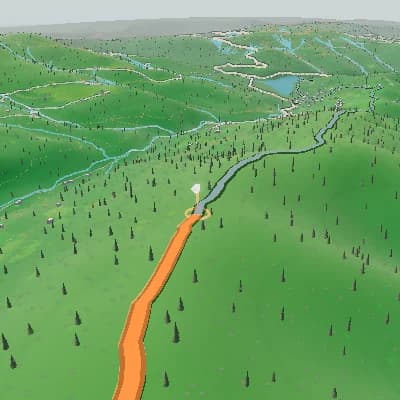
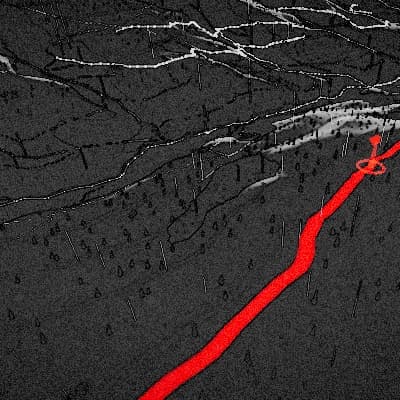
TrainCraft Flyover and Relive: which workflow fits?
Both turn outdoor activities into 3D stories. Choose by the editing controls and publishing workflow you need.
| TrainCraft Flyover and Relive: which workflow fits? | TrainCraft Flyover | Relive |
|---|---|---|
| Starting a story | Upload a FIT, GPX, or TCX route with GPS coordinates. | Record in the app, upload an activity file, or connect a supported tracker. |
| Editing | Keyframe camera, terrain style, weather, time, season, and data panels along the route. | Relive Plus supports photo and video moments, music, themes, video settings, and repeat editing. |
| Sharing | Export a new MP4 with selected aspect ratio, frame rate, and resolution; higher output settings may require payment. | Create and share a 3D activity video; HD and expanded customization are Relive Plus features. |
Relive features and plan details: Relive · Relive Plus
A finished scene sequence from one route
For activity recaps and route previews, Auto Story uses route shape, climbs, descents, and supported activity moments to produce an ordered sequence you can review scene by scene and edit in the same Studio.
Export your route video as MP4
Download an MP4 in 720p, 1080p, or 1440p. Choose 16:9 for landscape, 9:16 for a vertical video, or 1:1 and 4:5 for other posts, at 30 or 60 fps. Export settings apply to the whole video.

Work with a photo timeline
Attach your own images to a climb, viewpoint, or finish on the route timeline. During playback, each photo appears at its chosen stop, so viewers can connect the image to its location in the journey.
An editable, file-based route workflow
- Start a new project from your own FIT, GPX, or TCX GPS file.
- Control camera, visual style, intensity, weather, time, season, and panels with keyframes.
- Use a photo timeline to connect real route moments to the animation.
- Choose from six camera modes for route motion and photo stops.
- Export MP4 in 720p, 1080p, or 1440p with global format and frame-rate settings.
Create a new route video
- 1Upload a GPS file that contains a usable route.
- 2Add photo stops and direct the camera, appearance keyframes, terrain, and panels.
- 3Choose output settings and export the new route video as MP4.
FAQ
Who is this route-video editor for?
It suits riders who want direct control over a new 3D video from GPS data, including camera, appearance keyframes, photos, panels, and output format.
Can I import an existing video or project from another editor?
No. Flyover starts a new project from the GPS file you upload and produces a new MP4.
Which controls can change along the route?
Keyframes can control camera, visual style, intensity, weather, time, season, and panels. Export resolution, aspect ratio, and frame rate are global settings.
What files do I need?
Use a FIT, GPX, or TCX file with usable GPS coordinates. Photos are optional route timeline stops.
Is TrainCraft affiliated with Relive?
No. TrainCraft and Relive are independent products. This page describes the TrainCraft editor so you can decide whether it fits your workflow.