Create a running route animation from your GPS track
Show the line, distance, elevation and pace context of a road run without treating it as a cycling ride.
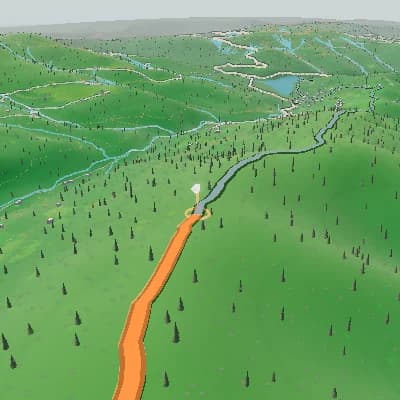
Put race-day moments on the route
Add your own start, aid-stop or finish photos at the corresponding points in the running route.
A finished scene sequence from one route
For activity recaps and route previews, Auto Story uses route shape, climbs, descents, and supported activity moments to produce an ordered sequence you can review scene by scene and edit in the same Studio.
Upload a running GPX, FIT or TCX file.
Set the route, camera and selected moments.
Review the composition and export MP4.
Keep the route readable at running pace
Use camera and route framing to show a course, climb or finish approach, then export a new MP4.
Share a run in the frame you need
Choose the aspect ratio and export an MP4 for a recap, coach review or social post.
Open Flyover StudioA route story for runners
- GPS route and elevation for a run.
- Available activity context when the file provides it.
- Photo moments at start, aid or finish.
- A new MP4 in the chosen frame.
Make a running route video
- 1Upload a running GPX, FIT or TCX file.
- 2Set the route, camera and selected moments.
- 3Review the composition and export MP4.
FAQ
Can I animate a running GPX route?
Yes. Use a GPX, FIT or TCX file with usable GPS coordinates.
Does the route create pace data?
No. Activity panels use only data supplied by the file.